Creating your ReserveIt Account
Welcome to ReserveIt!
Congratulations on taking the first step to automating those tedious tasks in your business so that you can focus on doing what you really love.
Let's get started by creating your account, step-by-step:
-
Open the Registration page
-
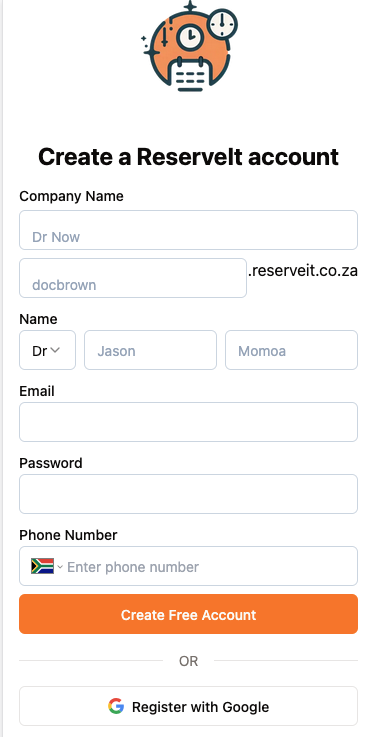
If you are planning on registering with Google click the Register with google button at the bottom of the page.
-
Enter your company name and choose the ReserveIt domain, which can be your company name as well. Complete the rest of the form and click "Create free account"
-
You'll receive a confirmation email from ReserveIt. Check your inbox and click on the confirmation link. You'll then be redirected back to the ReserveIt platform and asked to login with the email address and password you provided earlier
-
Upon logging in, you'll find that your account has been successfully confirmed
See our other docs to learn how to get started accepting payments, setting availability, adding services, and more!